
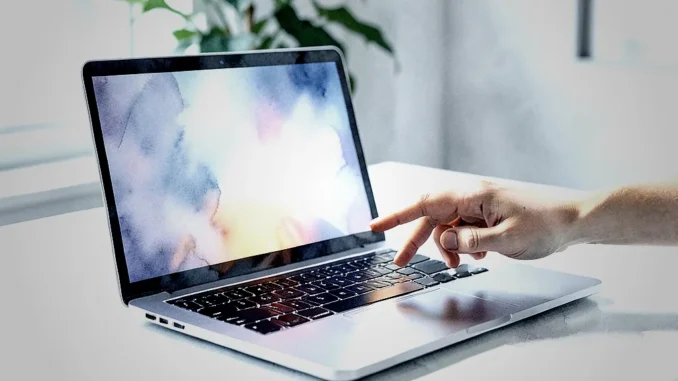
Apple may eventually turn the MacBook Pro into an entirely touchscreen product line, rather than supporting separate touch and non-touch versions. Bloomberg reporter Mark Gurman has suggested that maintaining two versions could add manufacturing and marketing complexity. A unified lineup could let Apple focus its engineering resources on one design while bringing touch controls to professional Mac workflows.
Why might Apple add touchscreens to MacBook Pro?
A touchscreen could make some Mac tasks more direct. Users could tap controls, move items with a finger, zoom into a video timeline, or annotate a design on the display. Apple could also make the MacBook experience feel more consistent with the iPad, while retaining the keyboard, trackpad, and desktop applications that professional users rely on.
The strategic case goes beyond adding a new input method. If Apple builds touch into the standard MacBook Pro, developers may have stronger incentives to make their Mac apps work well with both touch and a pointer. That could support flexible workflows without requiring users to choose between a laptop and a tablet for every task.
What did Mark Gurman say about a touchscreen MacBook Pro?
Gurman’s reporting points to a possible long-term consolidation of the MacBook Pro lineup. Supporting separate touchscreen and non-touchscreen designs could require Apple to manage additional components, production processes, and marketing decisions. A single touchscreen direction could simplify those efforts, though Apple has not confirmed that it will make every MacBook Pro touchscreen.
The idea remains a reported possibility, not an announced product plan. Any timeline or design details should therefore be treated as speculation until Apple provides official information.
What would Apple need to change?
- Redesign the display: Apple would need to integrate a touch-sensitive layer and balance durability, brightness, weight, and power use.
- Adapt macOS: Menus, controls, window management, and common gestures would need to remain comfortable for touch users without slowing down keyboard-and-trackpad workflows.
- Update professional apps: Creative and technical software would need touch-friendly controls, such as larger targets and direct manipulation of timelines or canvases.
- Support accessories: Apple and third-party developers could explore stylus support, configurable controls, and other accessories that complement the touchscreen.
Apple would also need to manage heat and battery life. A touchscreen adds components and may affect display power consumption, so engineers would have to account for those trade-offs alongside the performance expected from a MacBook Pro.
How could touch change professional Mac workflows?
For video editors, touch could make it easier to scrub through a timeline, pinch to change its scale, or tap a clip to select it. Designers could manipulate objects directly on the canvas, while illustrators might use a stylus for drawing and annotation. These interactions could speed up particular tasks, but they would not necessarily replace a mouse or trackpad for precise, repetitive work.
Software developers and other users could benefit from touch controls for occasional actions, such as selecting a tool or navigating a document. The strongest design would let people switch naturally between touch, keyboard, trackpad, and mouse rather than forcing them to use one input method for everything.
What are the main drawbacks?
Touchscreens can increase display costs and complicated manufacturing. They may also add weight or affect battery life, depending on Apple’s design choices. During a transition, component supply or production constraints could influence availability and pricing.
There is also a usability challenge: reaching across a laptop keyboard to touch a display may feel less comfortable than using a trackpad for many everyday tasks. Apple would need to design macOS so that touch remains an optional advantage, not a requirement. Professional users should still be able to complete familiar work efficiently with a keyboard and pointer.
Could a touchscreen MacBook replace the iPad?
Not necessarily. A touchscreen MacBook could overlap with the iPad, but the devices serve different needs. The MacBook offers a built-in keyboard and a desktop operating system, while the iPad emphasizes a tablet-first form and touch-oriented applications. A touchscreen Mac could narrow the gap without making the two products identical.
When could an all-touchscreen MacBook Pro arrive?
No confirmed launch date exists. The source material suggests a possible transition over the next several years, but that estimate is not an official Apple schedule. Product timing would depend on display technology, macOS development, manufacturing readiness, and feedback from users and app developers.
What would an all-touchscreen MacBook Pro mean?
A touchscreen MacBook Pro could give Apple a more unified product strategy and make direct interaction available across professional Mac apps. The change would also bring real engineering and usability challenges, particularly around cost, battery life, macOS controls, and precision work. For now, the prospect is a reported direction rather than a confirmed product announcement.




Be the first to comment