
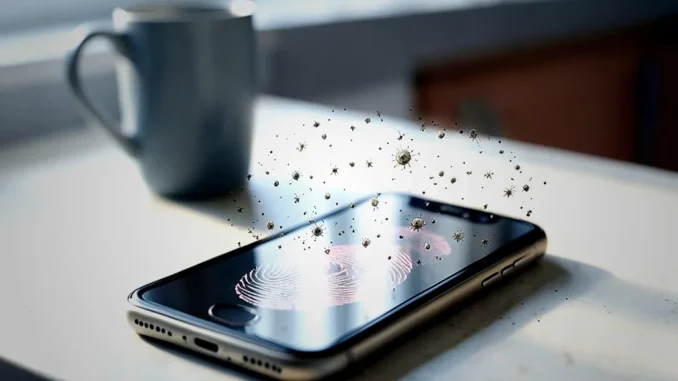
Phones collect microbes because people handle them throughout the day and carry them between different environments. Regular, device-safe cleaning can reduce residue and microbial buildup, while good hand hygiene helps limit transfer to your eyes, nose, and mouth.
Why do phones collect germs?
People check their phones repeatedly, often after touching shared surfaces, food, or their face. Each contact can transfer skin oils, dust, food residue, and microorganisms onto the screen or case. A phone may then move from a pocket to a desk, a vehicle, or a bathroom, giving it frequent contact with different surfaces.
How much material remains on a phone depends on factors such as how often it is handled, the surface material, the case, and how regularly the device is cleaned. Finding microbes on a phone does not mean it will cause illness; the risk depends on the organism, the amount transferred, and a person’s health.
Which bacteria can be found on phones?
Studies of phones have identified a range of microorganisms, including bacteria commonly associated with skin and the environment. Examples include Staphylococcus and Streptococcus. Some studies have also detected bacteria associated with the digestive tract, such as certain strains of Escherichia coli and Enterococcus.
The presence of a bacterium on a device does not prove that it will cause an infection. Transfer becomes more plausible when someone touches a contaminated surface and then touches their eyes, nose, mouth, or broken skin. Handwashing and routine phone cleaning can reduce opportunities for this transfer.
What habits make a phone dirtier?
- Using a phone in the bathroom: Hands and nearby surfaces can transfer microbes to the device. Wash your hands before handling it afterward.
- Using it while eating: Food residue and microbes from hands can collect on the screen and case.
- Handling shared surfaces: Door handles, transit rails, and payment terminals can leave residue on your hands, which may then transfer to your phone.
- Keeping it in a pocket or bag: Fabric lint, dust, and residue can accumulate around the case and ports.
- Sharing a device: Several users can leave skin oils and microbes on the same surface.
What can you use to clean a phone?
Follow the cleaning instructions from your phone’s manufacturer, since approved products can vary by model and screen coating. Many manufacturers permit gentle wiping with a soft, lint-free cloth and certain disinfecting wipes or solutions. A 70% isopropyl alcohol wipe may be suitable for some devices, but check the manufacturer’s guidance first.
Do not spray liquid directly onto the phone. Apply an approved product to a cloth or use a suitable pre-moistened wipe, and avoid getting moisture into charging ports, speakers, buttons, or microphone openings. Avoid abrasive cleaners, bleach, household window cleaners, and rough paper towels unless the manufacturer specifically approves them.
How to clean a phone step by step
- Power down: Disconnect the charger and turn off the device. Remove the case.
- Check the instructions: Confirm which cleaning products the manufacturer approves for your model.
- Wipe the exterior: Use a clean, soft cloth or approved wipe. Gently clean the screen, back, and sides.
- Keep openings dry: Do not push cloths or objects into ports, speakers, or other openings. Never pour or spray liquid onto the phone.
- Clean the case separately: Follow its care instructions. If it is washable, clean it as directed and let it dry completely.
- Wait before reconnecting: Make sure the phone and case are dry before charging or putting the case back on.
How often should you clean your phone?
There is no single schedule that suits every phone. Clean the device when it looks dirty, after sharing it, or after using it in a setting where it has had substantial contact with hands or surfaces. If you handle your phone frequently, a regular weekly cleaning routine can help you remember; clean it sooner when needed. Always use a method approved for your specific device.
Do antibacterial phone cases prevent germs?
Some cases use antimicrobial materials or coatings, but their effect varies by product and does not eliminate the need to clean the phone. A coating cannot prevent contamination from every source, and it does not replace handwashing. Clean the case according to its manufacturer’s instructions.
Does a phone have more germs than a toilet seat?
There is no reliable, universal comparison because microbial counts vary with the device, the toilet seat, the sampling method, and cleaning frequency. A headline comparing one phone sample with one toilet seat cannot predict how contaminated every phone is. The practical takeaway is to clean devices regularly and wash your hands at appropriate times.
Simple habits that reduce transfer
- Wash your hands with soap and water after using the bathroom and before eating.
- Avoid placing your phone on visibly dirty or shared surfaces.
- Clean the case as well as the screen, following product instructions.
- Do not handle your phone while preparing food if you can avoid it.
- Use a phone stand or a clean, designated surface when setting the device down.
Key takeaway
Phones collect residue and microorganisms through frequent handling, but their presence does not automatically mean they will make someone sick. Clean your phone using products approved by its manufacturer, keep liquid away from openings, and wash your hands to reduce transfer.






Be the first to comment