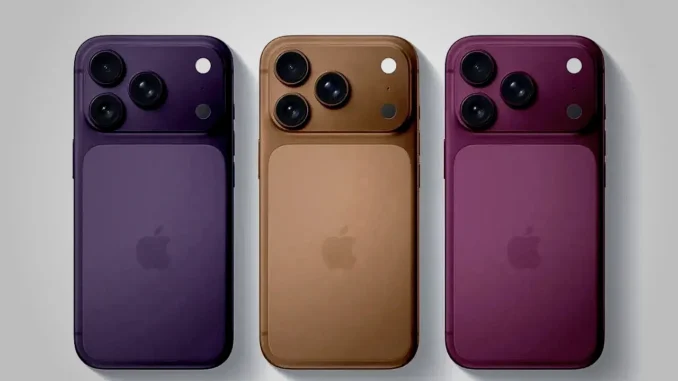
Revolutionizing Battery Life: What the iPhone 18 Series Brings to the Table
As technology watchers eagerly await the official release of the iPhone 18 series, a critical component has taken center stage: the battery. Apple has historically been cautious about battery sizes, prioritizing sleek design over outright capacity. However, recent leaks and reports suggest a paradigm shift aimed at significantly boosting user experience through bigger, longer-lasting batteries—especially on the Pro and Pro Max models.
Exclusive Leak: The Newly Reported Battery Capacities
Sources close to the manufacturing process reveal impressive battery capacities for the upcoming models, which mark a notable upgrade over last year’s versions. The leaked data indicates:
| Model | eSIM Version (mAh) | Physical SIM Version (mAh) |
|---|---|---|
| iPhone 18 Pro | 4,288mAh | 4,056mAh |
| iPhone 18 Pro Max | 5,567mAh | 5,391mAh |
| iPhone 17 Pro Max (comparison) | 5,088mAh | 4,823mAh |
These figures indicate a substantial leap, especially on the Pro Max model, which now surpasses previous capacities by a wide margin. This move signals Apple’s intent to deliver longer, more dependable battery life for power users and those demanding extended device uptime.
What Do These Numbers Mean for Everyday Users?
While raw mAh capacity offers a glimpse into potential endurance, real-world performance depends on software efficiency and hardware optimization. The leap from 4,823 mAh to 5,567 mAh on the Pro Max translates into hours of additional use under typical conditions, such as video streaming, gaming, or multitasking. Power users who spend hours on their devices will notice the difference—especially those who rely on GPS navigation or high-brightness displays for extended periods.
For example, using a typical scenario—streaming videos for 8 hours—an iPhone 17 Pro Max with a 4,823 mAh battery might last around 9 hours. The iPhone 18 Pro Max with its 5,567 mAh capacity can extend this time to nearly 10-11 hours, minimizing the need for midday charging and enhancing productivity.
How Does eSIM Influence Battery Performance?
Reports show a consistent trend: eSIM models tend to have larger batteries compared to their physical SIM counterparts. Why? The absence of a physical SIM tray frees up space inside the device, allowing Apple to allocate additional battery capacity. This strategic design choice optimizes device longevity, especially important for users who travel frequently or use dual SIM features.
Moreover, eSIMs reduce hardware complexity and potentially lower power consumption related to SIM radio communications, further benefiting overall battery life. It’s a deliberate move to combine convenience with endurance, aligning with Apple’s goal of delivering all-day battery performance without sacrificing device aesthetics.
Why Apple Is Still Holding Back on Larger Batteries Compared to Android
While Android flagships push towards 10,000+ mAh batteries, Apple maintains a demand for thinner, lighter devices. The key reasons include:
- Design Philosophy: Apple prioritizes sleekness and portability; larger batteries typically mean increased thickness and weight, which conflicted with this guiding principle.
- Thermal Management: Bigger batteries generate more heat. Apple’s integrated thermal design must balance size, weight, and heat dissipation, which can be challenging.
- Software Optimization: Apple’s hardware-software synergy enhances energy efficiency. With iOS, Apple can maximize battery life even with smaller capacities, unlike some Android devices that rely on sheer capacity.
Steps to Test Your Future Battery Performance
On the day you get your hands on the iPhone 18, follow these steps to assess if the upgraded battery lives up to expectations:
- Update your device to the latest iOS version immediately to ensure optimal energy management.
- Set a standard usage profile: allocate specific hours for social media, video streaming, gaming, and camera use.
- Adjust display and network settings: keep brightness at 50%, enable adaptive brightness, and configure Wi-Fi and cellular data to mirror your real-life habits.
- Monitor and record consumption: note battery percentage drops, screen-on time, and idle periods.
- Repeat the same test on your current device (say, iPhone 14 or 15) for comparative analysis.
This practical test reveals how the new battery performs under your typical daily tasks and whether the upgrade translates into concrete improvements.
Maximizing Your Battery’s Lifespan and Performance
Beyond hardware specs, user habits significantly influence battery longevity. Here are key tips:
- Limit background activity: Disable unnecessary app refreshes and location services to conserve energy.
- Use optimized charging: Enable