
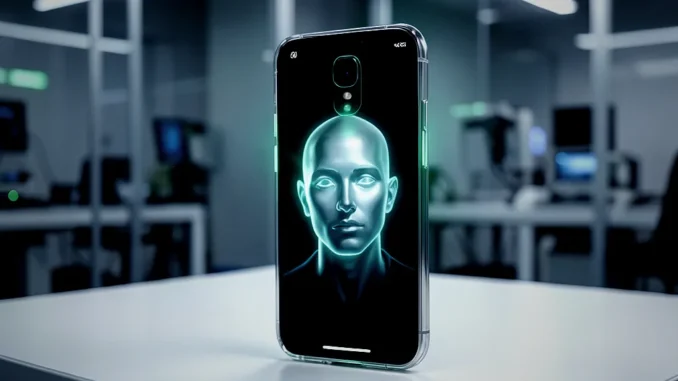
iOS 27.3 beta reportedly adds a front-camera face-unlock option for iPhone Duo. The feature offers another way to unlock the screen, but it is not a replacement for Face ID: it relies on 2D camera imagery rather than Face ID’s dedicated 3D facial mapping. Apple’s settings reportedly describe the facial data as stored on the device.
What does the new face-unlock feature do?
The feature checks a face with the iPhone’s front camera and uses the result to unlock the screen. It is intended as a convenient alternative for users who have difficulty with the side-mounted Touch ID sensor. It does not provide the same security capabilities as Face ID and is not intended for Apple Pay, password autofill, or other protected authentication tasks.
How to set up front-camera face unlock
- Open Settings and go to Touch ID & Passcode.
- Turn on the new face-recognition option, if it appears on your device.
- Follow the on-screen prompts and let the camera capture your face from different angles.
- Lock the phone and test the feature in ordinary lighting.
- If recognition fails, unlock the device with Touch ID or your passcode.
Menu names and availability may change before the beta becomes a public release. The reported feature is associated with iPhone Duo and iOS 27.3 beta, so it may not appear on other models or software versions.
How is it different from Face ID?
Face ID uses dedicated infrared hardware to build a 3D map of the face. The reported front-camera option relies on a conventional 2D image, which offers less protection against attempts to fool a camera with a photograph or a displayed image. The two systems therefore should not be treated as equivalent.
- Face ID: Uses 3D facial mapping and supports protected tasks such as payments and authentication.
- Front-camera recognition: Uses 2D camera imagery and is reported to unlock the screen only.
- Fallback: Touch ID or the passcode remains available when facial recognition does not work.
Where can you use the feature?
Based on the reported beta behavior, front-camera face recognition is limited to screen unlocking. Apple Pay, password autofill, and other actions that require stronger authentication continue to rely on Touch ID or a passcode. Users should check the final release notes and on-device settings for confirmed availability and supported uses.
What can affect recognition?
Because the feature depends on the front camera, dim lighting, glare, a smudged lens, or a face that differs significantly from the setup scan may reduce recognition accuracy. A clear camera view and a well-lit setup can help. Keep Touch ID or the passcode ready for situations where the camera cannot verify your face.
Who may find it useful?
The option may help iPhone Duo owners who find the side-mounted fingerprint sensor inconvenient or unreliable in particular situations. For example, someone wearing gloves may prefer a quick camera-based screen unlock, although the feature’s performance will depend on lighting and camera conditions. It is less suitable as the sole authentication method for people who need stronger protection for sensitive actions.
Is facial data sent to the cloud?
The reported Settings description says facial-recognition data stays on the device. That indicates local storage rather than cloud upload, but users should review Apple’s final privacy documentation when the feature reaches a stable release. Local storage does not change the security difference between 2D camera recognition and Face ID’s 3D mapping.
Frequently asked questions
Does front-camera face unlock replace Face ID?
No. It is a separate, reportedly screen-unlock-only feature and does not offer Face ID’s 3D facial mapping.
Can it approve Apple Pay purchases?
No. The reported beta limits the feature to unlocking the screen; Apple Pay and other protected tasks require Touch ID or a passcode.
What happens if the camera cannot recognize me?
Use Touch ID or enter the device passcode.
Will every iPhone get the feature?
Its reported availability is tied to iPhone Duo running iOS 27.3 beta. Broader device support has not been confirmed.
What iPhone Duo users should expect
iOS 27.3 beta appears to give iPhone Duo owners an additional screen-unlock option, not a full Face ID replacement. The practical choice is to use it for convenience if it works reliably, while keeping Touch ID or a passcode for protected actions and as a fallback. Availability, behavior, and supported uses may change before a final iOS release.







Be the first to comment