Unveiling the Revolutionary Integration of ChatGPT with Apple Messages
Imagine having a powerful AI assistant embedded directly within your most-used messaging platform, Apple Messages. This cutting-edge development turns your iPhone into a hub of intelligent communication, capable of crafting responses, managing conversations, and automating tasks seamlessly. As this innovation gains momentum, understanding how to harness its potential safely and effectively becomes critical for both individual users and organizations aiming to optimize their messaging workflows.
What Is ChatGPT Apple Messages Integration and Why Is It a Game-Changer?
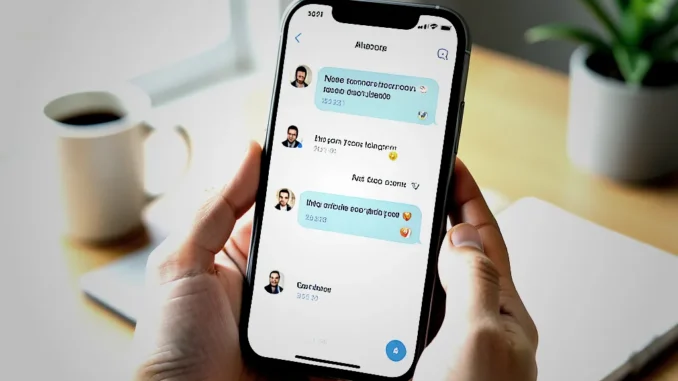
The integration of ChatGPT into Apple Messages usher in an era where your conversations are no longer just text exchanges but become intelligent interactions powered by advanced AI. This feature allows ChatGPT to analyze your chat history, generate personalized responses, and assist in message management—all within your familiar messaging environment.
Why is this integration considered a game-changer? Because it bridges the gap between human conversation and machine intelligence without requiring complex workarounds or third-party applications. It unlocks a new level of productivity, enabling tasks like real-time drafting, instant summaries, and proactive messaging, all with minimal effort.
How Does ChatGPT Bring Value to Apple Messages Users?
The value of embedding ChatGPT into Apple Messages becomes evident in multiple scenarios:
- Enhanced Productivity: Generate quick responses for busy professionals, freeing time and reducing mental load.
- Personalized Communication: Craft messages that match your tone, style, and intent with minimal input.
- Automation of Routine Tasks: Automate appointment reminders, follow-ups, or status updates directly through chat.
- Streamlined Customer Support: Businesses can improve service quality by integrating AI-driven replies, reducing wait times and enhancing customer satisfaction.
Step-by-Step Guide to Safely Using ChatGPT in Apple Messages
To safely leverage this integration with maximum benefit, follow these crucial steps:
- Review and Manage App Permissions: Ensure that only trusted applications have access to your message history. Regularly audit app permissions in your device settings.
- Activate Privacy Settings: Use iOS privacy controls to limit data sharing, and configure ChatGPT to operate within these constraints.
- Set Clear Boundaries for Automation: Decide which messages can be auto-generated and which require manual review, particularly for sensitive topics.
- Regularly Update Your Software: Keep your device and applications current to benefit from security patches and performance improvements.
- Implement Two-Factor Authentication (2FA): Protect your account with 2FA to mitigate unauthorized access risks.
- Practice Data Security: Avoid sharing confidential or sensitive data through automated responses; always review generated messages before sending.
- Disable Automatic Sending for Sensitive Content: For critical communications, enable manual review to prevent errors or accidental disclosures.
Understanding Privacy and Data Security Concerns
OpenAI emphasizes that most processing occurs locally on your device when using ChatGPT within Apple Messages, but some data may be temporarily transmitted for processing and improvements. This raises legitimate concerns about privacy and data security.
To protect yourself:
- Use End-to-End Encryption: Ensure your messages are encrypted to prevent interception.
- Limit Personal Data Sharing: Refrain from transmitting sensitive information unless absolutely necessary.
- Review Privacy Policies: Familiarize yourself with how your data is collected, stored, and used.
- Opt-Out of Data Sharing: Disable features that transmit data to third parties if privacy sensitivity is high.
Real-Life Applications and Practical Benefits
Numerous users and businesses are already experiencing tangible benefits from this technology:
- Professional Contexts: Executives automated routine responses, schedule meetings, and draft reports via AI-assisted messaging—saving hours weekly.
- Customer Support: Companies deploy ChatGPT-powered replies to common inquiries, accelerating response times and increasing customer satisfaction.
- Personal Use: Individuals generate personalized message drafts for invitations, thank-you notes, or reminders swiftly, enhancing personal relationships.
Best Practices for Maximizing Benefits While Mitigating Risks
To fully capitalize on this integration’s advantages without exposing yourself to unnecessary risks:
- Maintain Privacy Vigilance: Regularly audit your data sharing settings and only enable features you truly need.
- Limit Automation in Sensitive Scenarios: Reserve manual review for messages discussing confidential information.
- Educate Yourself on AI Capabilities: Understand what AI can and cannot do to set realistic expectations and avoid over-reliance.
- Stay Updated: Follow updates from Apple and OpenAI to keep abreast of security enhancements and feature improvements.
- Implement Security Protocols: Secure your device with strong passwords, biometric authentication, and encryption.
The Future of AI and Messaging: What’s Next?
The integration of ChatGPT into Apple Messages signals the beginning of a new era where AI seamlessly augments human communication. As these technologies mature, expect:
- Deeper Contextual Understanding: AI will grasp emotional nuances and complex conversational cues more effectively.
- Proactive Assistance: Your AI assistant might start suggesting messages or responses before you even realize you need them.
- Enhanced Security Features: Advanced privacy controls and transparent data handling will become standard.
- Cross-Platform Synchronization: AI-driven messaging services will effortlessly work across devices and apps, creating a unified communication experience.